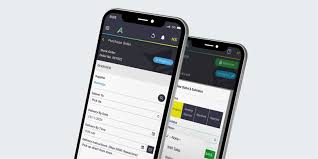
You need a mobile field service app that keeps your crew on schedule, simplifies invoicing, and gives you real-time visibility into work in the field. The best apps combine scheduling, offline capabilities, invoicing, and easy integration so you can manage jobs, communicate with technicians, and close more work without constant back-and-forth.
This article Best Mobile Field Service App shows which apps deliver those core features, how they handle integrations and user experience, and what to prioritize for your specific operation. Expect clear comparisons and practical guidance so you can pick a solution that fits your team size, industry needs, and budget.
Key Features for Field Service Operations
You need tools that let technicians receive, complete, and close jobs quickly, schedule the right people, and keep working when connection drops. Focus on features that reduce travel, speed invoicing, and ensure accurate records.
Work Order Management Capabilities
Work orders should capture everything your technician needs: customer details, service history, asset serial numbers, labor and parts lists, and required safety steps. Look for apps that let you create templated checklists and attach photos or signatures so records are consistent and auditable.
Real-time status updates and automatic time-stamps help you track SLA compliance and true time on site. Integration with inventory counts and purchase ordering prevents parts shortages and avoids duplicate entries.
Ensure the app supports customizable fields and conditional logic so forms match your workflow without forcing manual workarounds. Exporting work orders to PDF or pushing them to your accounting system speeds billing and reduces transcription errors.
Scheduling and Dispatch Functionality
You should be able to assign jobs based on skill set, certifications, proximity, and current workload to minimize travel and meet customer windows. Visual dispatch boards with drag-and-drop rescheduling make it fast to respond to priority changes.
Automated ETA notifications and live GPS tracking keep customers informed and reduce no-shows. Look for route optimization and batch scheduling so you can plan multi-stop days that lower drive time and fuel costs.
Capacity planning, overtime flags, and workload heat maps help you avoid overbooking and identify where to add resources. Two-way communication between dispatch and techs—text, in-app chat, or push—keeps everyone aligned without phone tag.
Mobile Offline Accessibility
Your app must let technicians continue work when cellular or Wi-Fi drops, storing form entries, photos, and signatures locally until connectivity returns. Offline capabilities should include read/write access to critical data: work orders, parts availability, safety checklists, and billing items.
Conflict resolution rules—such as last-modified or server-priority—prevent data loss when devices sync. Test sync speed and failure handling; slow or partial syncs create duplicate entries and billing mistakes.
Ensure the app encrypts cached data and supports selective sync to limit storage use on devices. Clear UI cues that show offline mode and pending uploads reduce confusion for field staff.
Integration and User Experience
Integration choices, data flow, and interface clarity determine how quickly your team adapts and how reliably information moves between field tools and back-office systems. Prioritize connectors, synchronization frequency, and screen layouts that match real-world technician tasks.
CRM and ERP Connectivity
You need bi-directional sync with your CRM and ERP to avoid duplicate data entry and billing delays. Look for native connectors to major CRMs (Salesforce, Microsoft Dynamics, HubSpot) and ERPs (NetSuite, SAP Business One), plus a robust API if you use a niche system.
Real-time customer lookups on the mobile app reduce callbacks; ensure the app pulls contact history, service agreements, and prior invoices before technicians start work. For ERP, confirm it can receive completed job records, parts consumption, and labor hours automatically to trigger accurate invoicing and inventory adjustments.
Check support for field-level mapping and transformation rules so your account codes, tax rates, and custom fields align without manual fixes. Also verify error handling: queueing for retries when connectivity drops, and an admin dashboard that surfaces sync failures for quick resolution.
Reporting and Analytics Integration
You should get both embedded dashboards for daily ops and data pipelines for enterprise BI tools. The app should push job completion, SLA metrics, travel time, first-time-fix rate, and parts usage into your analytics layer at configurable intervals.
Prefer solutions that export via secure FTP, REST endpoints, or direct connectors to Looker, Power BI, or Tableau. This enables cross-functional reports combining field metrics with financials and customer service KPIs. Ensure timestamp normalization and timezone handling are consistent to avoid skewed trend analysis.
Demand role-based access to reports so dispatchers see live schedules while finance sees invoiced revenue only. Also confirm retention policies and export options to meet audit requirements and regulatory reporting.
Intuitive Mobile Interface Design
Your technicians need an interface that minimizes taps and cognitive load. Prioritize a clear job card with one-tap navigation to directions, customer notes, safety checks, and signature capture. Use large, touch-friendly buttons and offline-capable forms that autosave drafts to prevent lost data.
Customizable workflows matter: let you hide unused fields, reorder steps, and add pre-built checklists for different service types. Visual cues like status colors, ETA badges, and photo thumbnails help techs assess job state at a glance.
Test the UI in real scenarios: low lighting, gloved hands, and poor connectivity. Check that updates push without reloading the app and that firmware and OS updates don’t break layouts. Request a trial period for your crew to validate task completion speed and error rates before committing.